Indoor cycling simulator
Ride the roads you know, from home
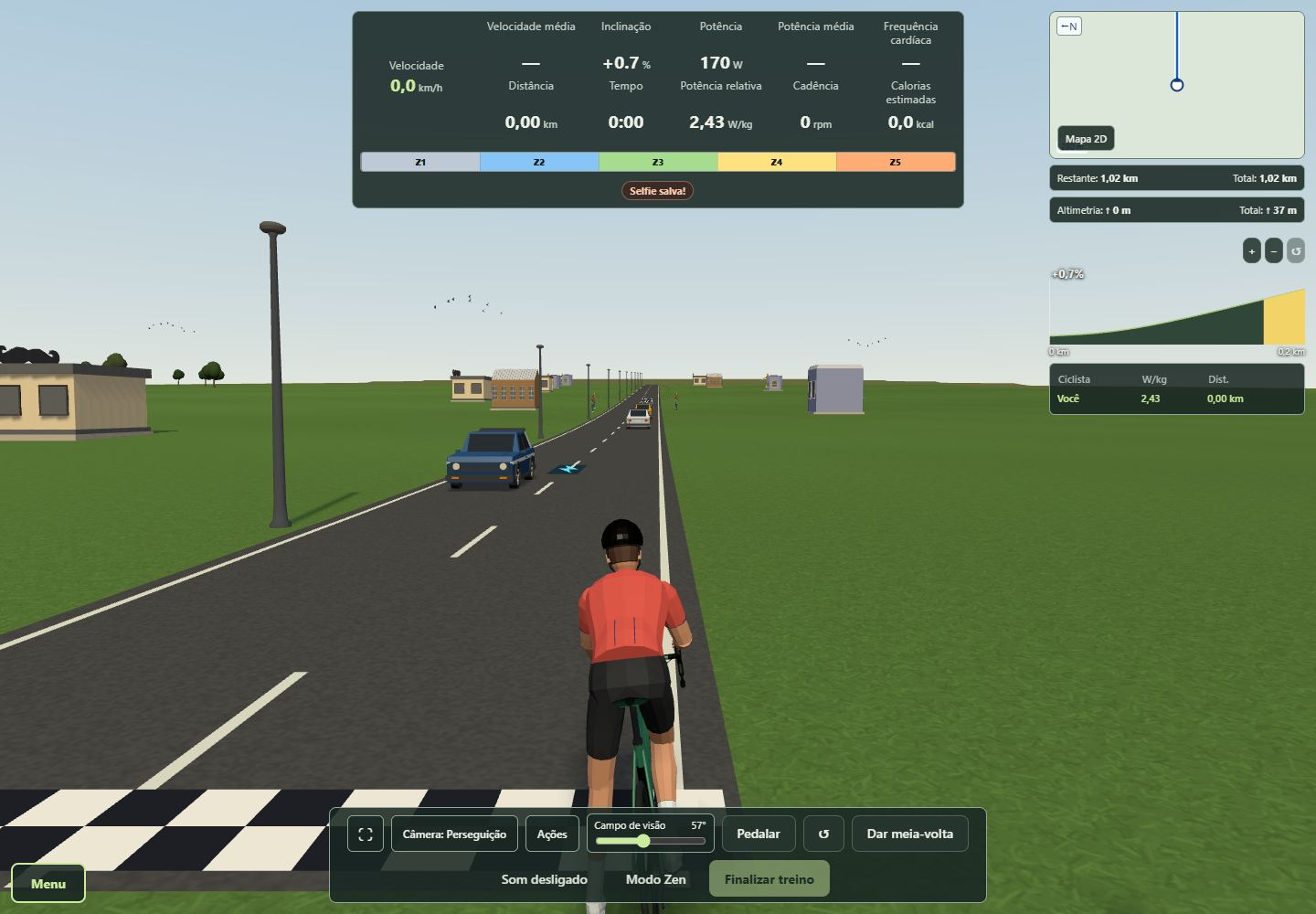
Import one of your rides or draw a new route. Ndoor builds it in 3D with the streets, bridges, rivers, trees and houses around it, and your trainer gets harder on the climbs.
Sign in with your Google or Strava account, no password to create.
- 4
- file formats: GPX, TCX, FIT and GeoJSON
- 18%
- maximum grade sent to the trainer
- 50
- friends in the same live ride
- 16
- pack riders, with drafting
How it works
Bring your route
Import the GPX, FIT, TCX or GeoJSON of a ride you did, or draw the route in the editor along the streets on the map.
Ndoor builds the scenery
The surroundings come from OpenStreetMap, and the elevation is cleaned of false GPS spikes without losing the climbs.
Connect your trainer and ride
Your smart trainer gets the route grade, up to 18%, and you see speed, power, cadence and heart rate live.
Everything that comes with it
Living scenery
Day and night by the local time, weather from the forecast, a pack with real drafting and traffic on nearby streets.
Sensors and smart trainers
Trainer, power meter, cadence and heart rate strap over Bluetooth or ANT+. No power meter? Ndoor estimates it from your effort.
ERG workouts
Import .zwo, .mrc or .erg files or build your own, track the 7 power zones and plan the month in the calendar.
Ride together live
Open a session on a public route, send the link and start with up to 50 friends in the same scenery, with a leaderboard and chat.
Route video
If the route has a video, it plays at the pace of your pedaling, with the pack drawn over the footage.
Strava and history
Every ride stays in your history and goes to Strava in one click. You can also download the FIT file.
Feed and groups
Follow friends, create training groups and choose who sees each ride and which metrics are shown.
Phone remote
With the ride on your computer, pause, change the ERG load and switch cameras from your phone.
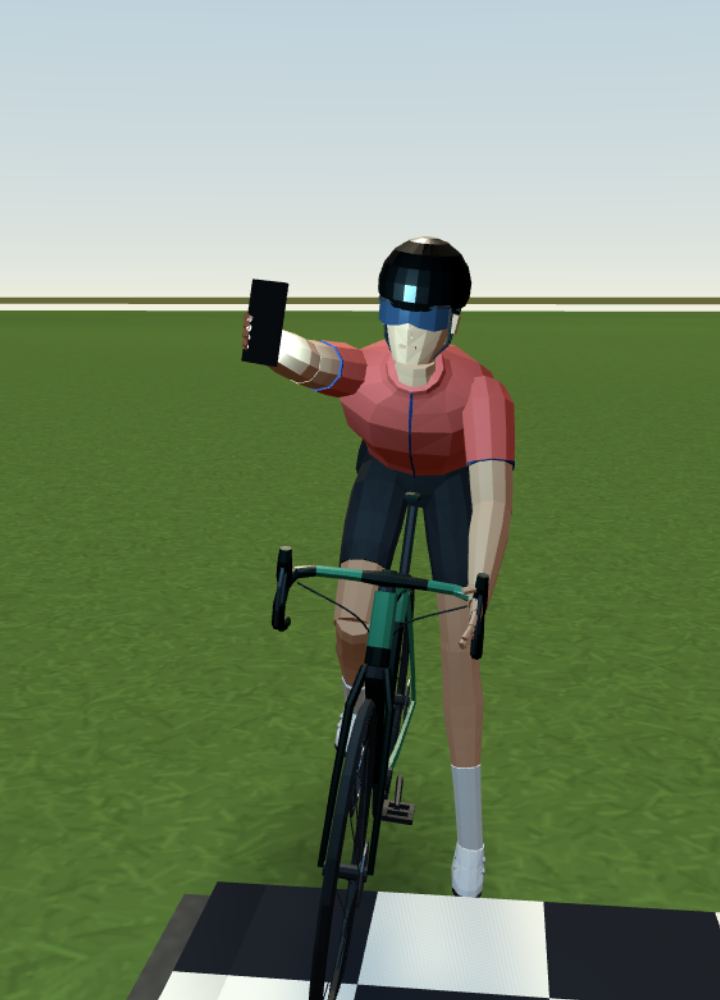
Your rider, your bike
The rider on screen has your height and weight, changes posture with the effort and even takes a selfie mid-ride.
- Four bikes: road, MTB, time trial and triathlon, each with its own aerodynamics.
- Automatic bike fit and a jersey in the color you pick, yours and the pack's.
- Selfies and videos of the ride straight from the app, to share when you finish.
Ndoor on Android phones and tablets
No computer? Install the Ndoor app on Android and connect your trainer and heart rate strap over Bluetooth or with an ANT+ dongle on an OTG cable. The 3D scenery of your routes is built on the device itself.
Android 8 or newer, under 100 KB. When you open the file, Android asks you to allow installing apps from the browser: tap Settings, turn on Allow from this source and go back to install.
ANT+ on Windows with Ndoor Companion
Got an ANT+ dongle? Install Ndoor Companion on Windows and connect your trainer and heart rate strap over ANT+. It runs next to the clock and also builds the 3D scenery of your routes on your computer.
64-bit Windows 10 or 11, 25 MB, no administrator rights needed. The first time, Windows may show "Windows protected your PC": click More info and then Run anyway.
Frequently asked questions
Do I need to install anything?
No. Ndoor runs in your computer or Android browser. For Bluetooth sensors, use Chrome or Edge. Only ANT+ on Windows needs Ndoor Companion.
Does it work without a smart trainer?
Yes. With a power meter Ndoor uses your watts, and with a speed and cadence sensor it estimates power from your perceived effort. With a smart trainer, resistance rises on the climbs by itself.
Can I use the workouts I already have?
Yes. ERG mode imports .zwo, .mrc and .erg workouts, and the workout builder sets up warm-up, ramps, intervals and cool-down.
Who sees my rides?
You choose: everyone, friends only or no one. Heart rate, power and times start hidden, and you can delete your account whenever you want.